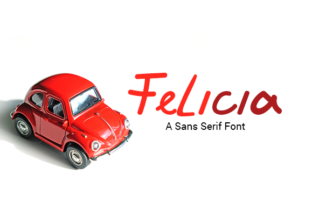
Felicia: A Playful Sans Serif for Kids’ Designs
If you’ve ever spent hours searching for a typeface that feels joyful but still holds up in real-world use—think birthday invitations, classroom posters, or early-reader apps—you’ll appreciate Felicia. It’s not just another “cute” font. Felicia is a carefully crafted sans serif designed with intention: friendly curves, open letterforms, and consistent rhythm that support legibility without sacrificing charm. And unlike many playful fonts that fall apart at small sizes or in long blocks of text, Felicia stays clear, readable, and visually cohesive across devices and formats.
What Makes Felicia Stand Out
Felicia’s personality comes from thoughtful details—not gimmicks. Its lowercase a and g are single-story, reducing visual noise for young readers. The terminals on letters like c, e, and s flare gently, adding warmth without compromising structure. X-height is generous (about 70% of the cap height), which boosts readability at smaller sizes—especially important for children’s books or app interfaces where space is limited.
It includes a full Latin character set, standard ligatures, and OpenType features like stylistic alternates and proportional figures. That means you can fine-tune spacing in headlines, swap in a bouncier Q for a poster, or adjust numerals to align with body text—all without switching fonts. No extra plugins or workarounds needed.
Where Felicia Fits Naturally
You don’t need to be designing for kids exclusively to benefit from Felicia—but it shines brightest where clarity and approachability matter most.
- Educational materials: Teachers use Felicia for sight-word flashcards, phonics worksheets, and digital learning modules because its shapes support early letter recognition. One literacy coach told us her students consistently identified Felicia’s b and d faster than in other playful fonts—likely due to distinct counters and balanced stroke contrast.
- Small business branding: Cafés with kids’ menus, indie toy shops, and pediatric clinics use Felicia in logos and signage to signal warmth and accessibility—without looking childish or unprofessional. It pairs well with neutral sans serifs (like Inter or Lato) for body copy, letting Felicia carry the voice while supporting text remains highly scannable.
- Digital products: App developers building early-learning tools report fewer user errors when Felicia is used for interactive labels and buttons. Its consistent stroke weight and generous spacing reduce mis-taps on touchscreens—especially helpful for motor-skill development stages.
- Printed goods: From sticker sheets to board book interiors, Felicia holds up under offset and digital printing. Its clean outlines avoid ink spread issues common with overly rounded display fonts, and it scales cleanly down to 10 pt for footnote-style activity instructions.
Real-World Use Tips You’ll Actually Apply
Felicia works best when treated as a *voice*, not just decoration. Here’s what seasoned designers tell us they do differently:
- Limit it to one weight for consistency. Felicia’s regular weight has enough presence for headings and body alike—no need to force bold variants that disrupt rhythm. If you need hierarchy, use size and color instead of weight shifts.
- Avoid all-caps in long passages. While uppercase Felicia looks cheerful in logos or banners, its wide letter spacing and rounded forms can reduce word recognition speed for emerging readers. Stick to sentence case for paragraphs and instructions.
- Test contrast early. Felicia performs best against light backgrounds with high contrast (e.g., dark gray on off-white, not black on pure white). On screens, aim for at least 4.5:1 contrast ratio—check with browser dev tools or free contrast checkers before finalizing.
- Pair it thoughtfully—not cutely. Avoid stacking Felicia with other “fun” fonts like Comic Neue or Kidprint. Instead, try pairing with a neutral, highly legible sans like Inter or Source Sans Pro for supporting text. The contrast between Felicia’s warmth and their neutrality creates balance—not clutter.
When Felicia Might Not Be the Right Fit
Like any tool, Felicia has boundaries. It’s not ideal for dense legal disclaimers, technical documentation, or multilingual publishing beyond Western European languages (it lacks extended Cyrillic, Greek, or Vietnamese support). If your project requires strict WCAG AA compliance for low-vision users, test Felicia alongside more tested options like Sans Forgetica or Atkinson Hyperlegible—Felicia wasn’t built specifically for dyslexic readers, though many find its open shapes helpful.
Also keep licensing in mind: Felicia is available under both free and commercial licenses, depending on the vendor. Always verify usage rights—especially if embedding in SaaS platforms, mobile apps, or downloadable templates sold to others. Some foundries restrict variable font usage or require extended licenses for large-scale print runs.
A Font That Grows With Your Work
What makes Felicia quietly powerful is how it adapts—not by changing shape, but by fitting into different roles without losing its identity. A homeschool parent uses it for weekly schedule charts; a museum educator applies it to tactile exhibit labels; a freelance illustrator chooses it for client-facing pitch decks when the audience includes families or educators. In each case, Felicia signals care—not just in aesthetics, but in how information is delivered and received.
That’s rare. Most playful fonts lean so hard into whimsy they become unusable outside greeting cards. Felicia doesn’t ask you to compromise clarity for charm. It asks you to consider who’s reading—and why that matters.
If you’re evaluating typefaces for a project involving children, learning, or community-facing communication, give Felicia a real test: set a short paragraph at 14 pt, print it, and read it aloud—then ask someone aged 6–8 to trace the letters with their finger. Notice where their eyes pause. Where their hand hesitates. That’s where Felicia earns its place—not in specs or style guides, but in quiet, functional moments that add up.