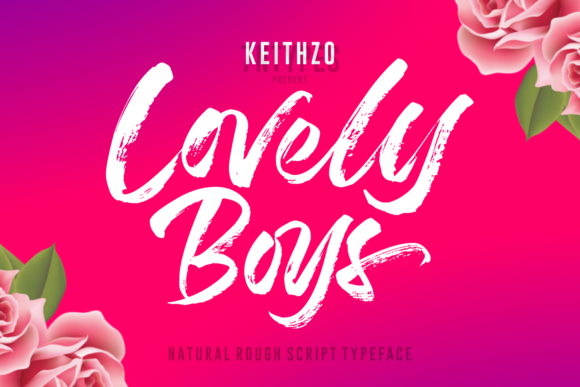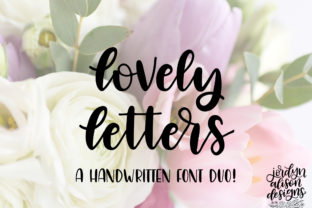
Lovely Letters
Imagine opening a design project and instantly feeling inspired—not because of flashy effects or complex layers, but because the very first word you type looks warm, intentional, and human. That’s what Lovely Letters delivers: a brand-new hand-lettered script font crafted with care, not algorithms. It comes packed with a full set of uppercase and lowercase letters—no missing glyphs, no awkward substitutions—and each character flows like ink on paper. Whether you're designing a wedding invitation, branding a small business, crafting social media graphics, or adding personality to a classroom handout, Lovely Letters bridges the gap between digital convenience and tactile charm.
Assuming it works “out of the box” without checking technical details
Many users download Lovely Letters expecting seamless use across platforms—only to discover later that certain applications don’t recognize OpenType features like stylistic alternates or ligatures. Others assume it will install automatically on mobile devices (it won’t) or work in free web-based tools like Canva without uploading the file manually. These oversights lead to inconsistent spacing, missing characters, or fallback fonts appearing mid-project—undermining the very authenticity Lovely Letters was chosen to convey.
Before using it, verify your software supports OpenType fonts and check whether you need to enable advanced typographic features in your design app. In Adobe Illustrator or Photoshop, for example, open the Character panel and ensure “OpenType” is toggled on. In Affinity Designer, go to Text > Font Features and activate discretionary ligatures if needed. If you’re using it on a website, remember that Lovely Letters is a desktop font—not a web font—so self-hosting via @font-face requires proper licensing and format conversion (WOFF2 recommended).
Overlooking language and character coverage
Lovely Letters includes full A–Z and a–z sets—but doesn’t include accented characters (like é, ñ, or ü), currency symbols beyond $ and €, or punctuation variants common in multilingual content. This isn’t a flaw; it’s a design choice reflecting its hand-lettered origin. Yet some creators assume it’s “complete” for global use, only to hit a wall when localizing a newsletter or translating an Instagram caption.
If your audience speaks Spanish, French, Vietnamese, or another language with diacritics, test key phrases before committing. Type “café,” “niño,” or “München” in your layout and see which characters render correctly. When gaps appear, pair Lovely Letters with a clean, neutral sans-serif for supporting text—or use it exclusively for short, English-focused headlines and logos where its expressive voice shines brightest.
Mistaking legibility for versatility
The charm of Lovely Letters lies in its organic rhythm and subtle variations—but those same qualities make it unsuitable for body copy, dense captions, or small-scale text (below 18pt in print, 24px online). Some users try to force it into email signatures, blog sidebars, or product labels, hoping the aesthetic will compensate for reduced readability. The result? Strained eyes, missed messages, and higher bounce rates on digital assets.
Use Lovely Letters where attention and emotion matter most: logos, greeting cards, quote graphics, packaging accents, or featured headings. For everything else—navigation menus, instructions, pricing tables—choose a highly legible companion font. A well-matched pairing (like Lovely Letters + Inter or Lato) creates visual hierarchy without sacrificing clarity.
Skipping the licensing review
Because Lovely Letters is newly released, some users assume its license matches free Google Fonts or older commercial fonts they’ve used. It doesn’t. Its license covers personal *and* commercial use—including merch, client work, and digital products—but excludes redistribution, font editing, or embedding in apps or SaaS platforms without extended permission. Ignoring this can expose freelancers and small studios to legal risk, especially when delivering source files to clients.
Before sending a final .ai or .psd file, double-check the included license PDF. If your client plans to use Lovely Letters in their own marketing long-term, clarify whether they need their own license—or whether your studio’s license covers ongoing usage (most do not). When in doubt, link them directly to the official purchase page so they can acquire rights properly.
Underestimating spacing and kerning adjustments
Hand-lettered scripts like Lovely Letters thrive on thoughtful spacing—not default auto-kerning. Relying solely on software’s automatic settings often results in cramped letter pairs (“To”, “We”, “Va”) or awkward gaps (“Yo”, “Le”). This isn’t a bug—it’s an invitation to refine.
Take five minutes to manually adjust tracking for headlines: slightly tighter (-10 to -25) often enhances cohesion, while increasing word spacing by 5–10% can improve rhythm. Use optical kerning in Adobe apps for best results, and always preview at actual size—not zoomed-out thumbnails. Print a test sheet or view on multiple screens before finalizing. Small tweaks here preserve the font’s handmade integrity while ensuring professionalism.
Not testing across real-world contexts
A beautiful Lovely Letters mockup on a designer’s high-resolution monitor may look entirely different on a customer’s Android phone, a café’s thermal receipt printer, or a school’s aging projector. Contrast, color contrast, and rendering engines vary widely—and script fonts are especially sensitive to these shifts.
Test early and broadly: export as PNG and JPG, open in Gmail and WhatsApp, view on iOS and Android, and hold a printed version under natural light. Does the thin stroke weight disappear against busy backgrounds? Does the flourish on the capital “Q” get clipped in a tight button container? Adjust background contrast, add subtle drop shadows for readability, or simplify flourishes where context demands clarity—not compromise.
Lovely Letters isn’t just another font download. It’s a tool for connection—one that rewards intention over automation. When you choose it, you’re choosing warmth, individuality, and craft. And like any thoughtful tool, its best results come not from speed or assumptions, but from paying attention: to how it installs, where it lives, who reads it, and what feeling it carries forward.